Kingdom Merge 2048
Run complete
Kingdom Merge 2048 result
Highlights
Kingdom Merge 2048 · Same-seed comparison
Compare both runs
View full run details
Reference run
Highlights
Your run
Highlights
This is a factual comparison with an anonymous, client-submitted snapshot. It is not a verified score or global ranking.
How to play Kingdom Merge 2048
- Use arrow keys or WASD to move all buildings in one direction. Equal values merge once per move; after a valid slide, a new tile appears.
- The game also accepts swipe controls in Chrome touch emulation, but physical mobile support has not been certified. Choose Undo to reverse the last move and New Kingdom to restart.
Combine matching buildings to reach the Eternal Kingdom at 2048. Maintain open spaces, unlock the building almanac, and improve your local best score.
About Kingdom Merge 2048
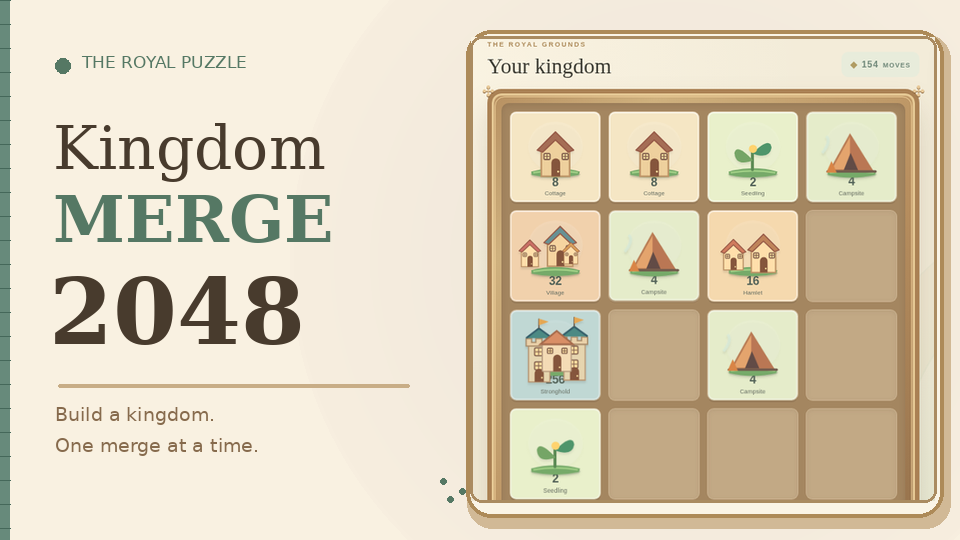
Turn seedlings into villages, watchtowers and castles on a 4×4 board. This original Kingdom Merge 2048 game replaces number-only tiles with a growing collection of fantasy buildings.
Quick tips
First move
Inspect the two starting seedlings and slide them toward the same edge. Keep an empty lane beside your growing buildings rather than sliding aimlessly.
Practical tip
Build large structures near one corner and keep smaller matching pieces nearby. Check the board before every move to preserve room for new seedlings.
Kingdom Merge 2048 Guide: Build a Castle Without Filling the Board
Learn the Kingdom Merge 2048 controls, how the original building upgrades work, how to keep space for new tiles and when to use Undo.